Skip to main content
Logging in to your Work Computer for the first time
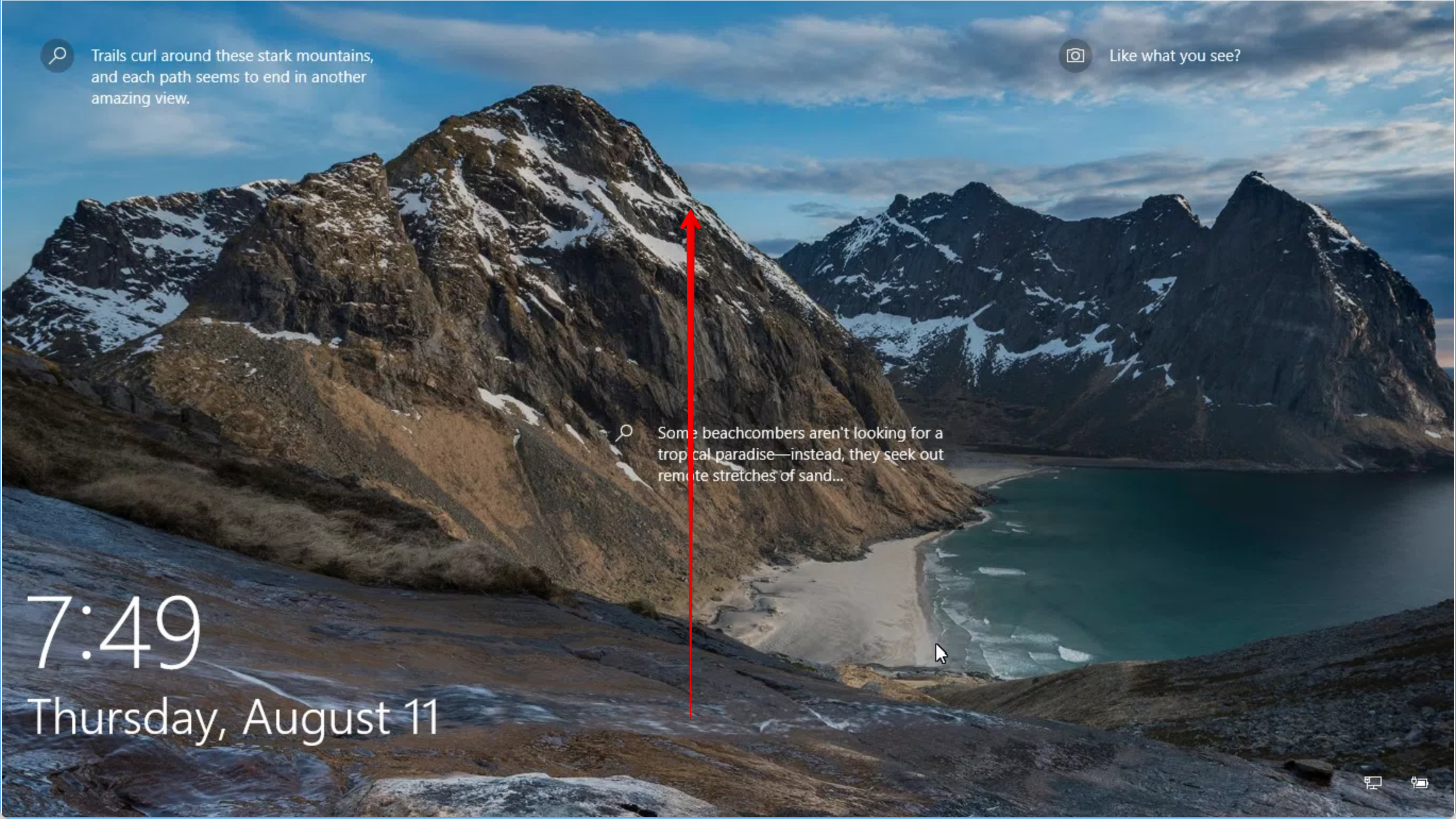
When you first wake up your computer, you will be greeted with the following screen.
- Swipe up with your mouse (click and drag) to get to the login page
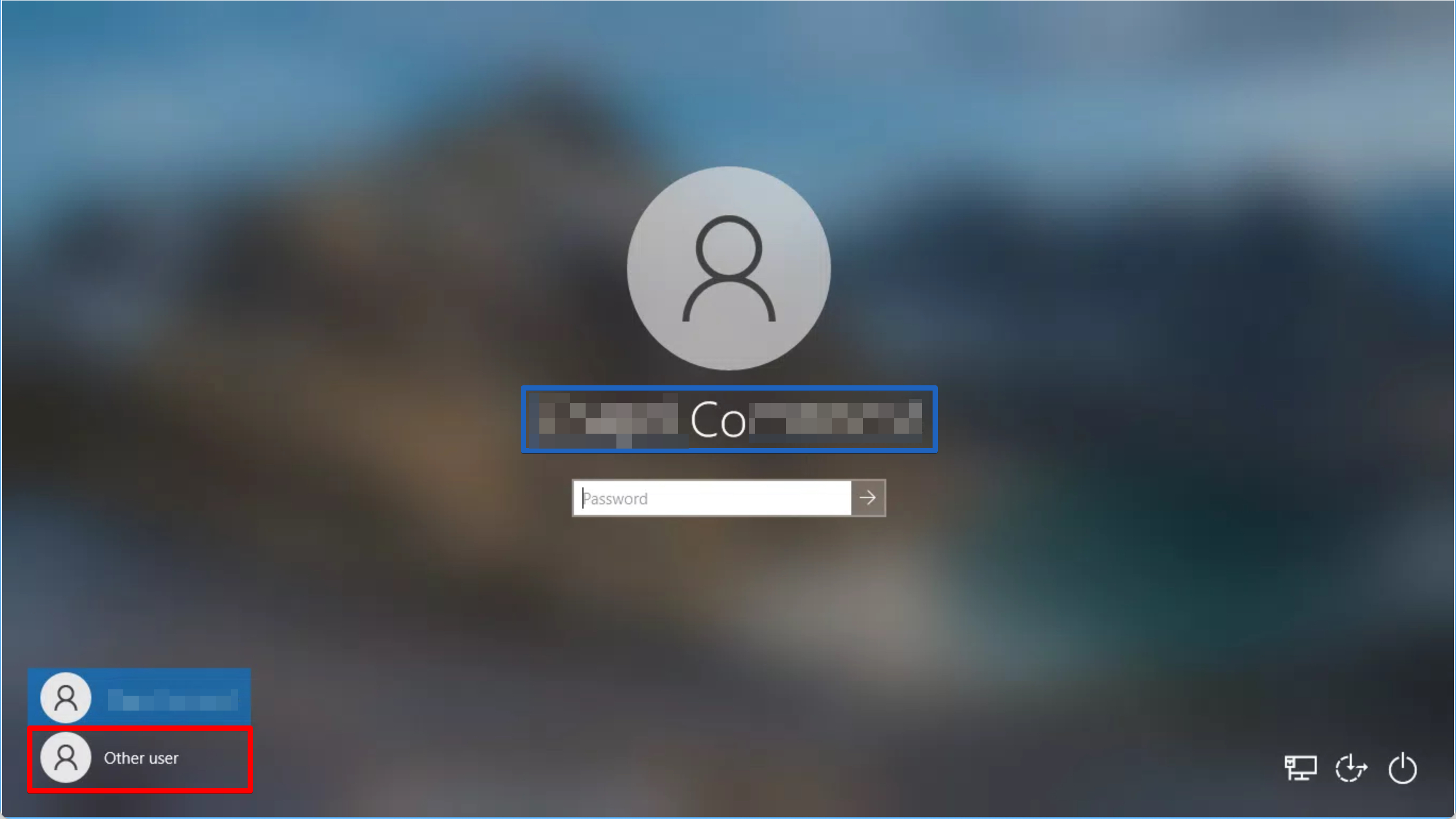
Check to see if your user was last logged in.
- If the name in large letters (in blue below) is yours, you can just enter your password in the box and login
- If the name (in blue) is not yours, you must select Other Users in the bottom left corner of the screen (in red)
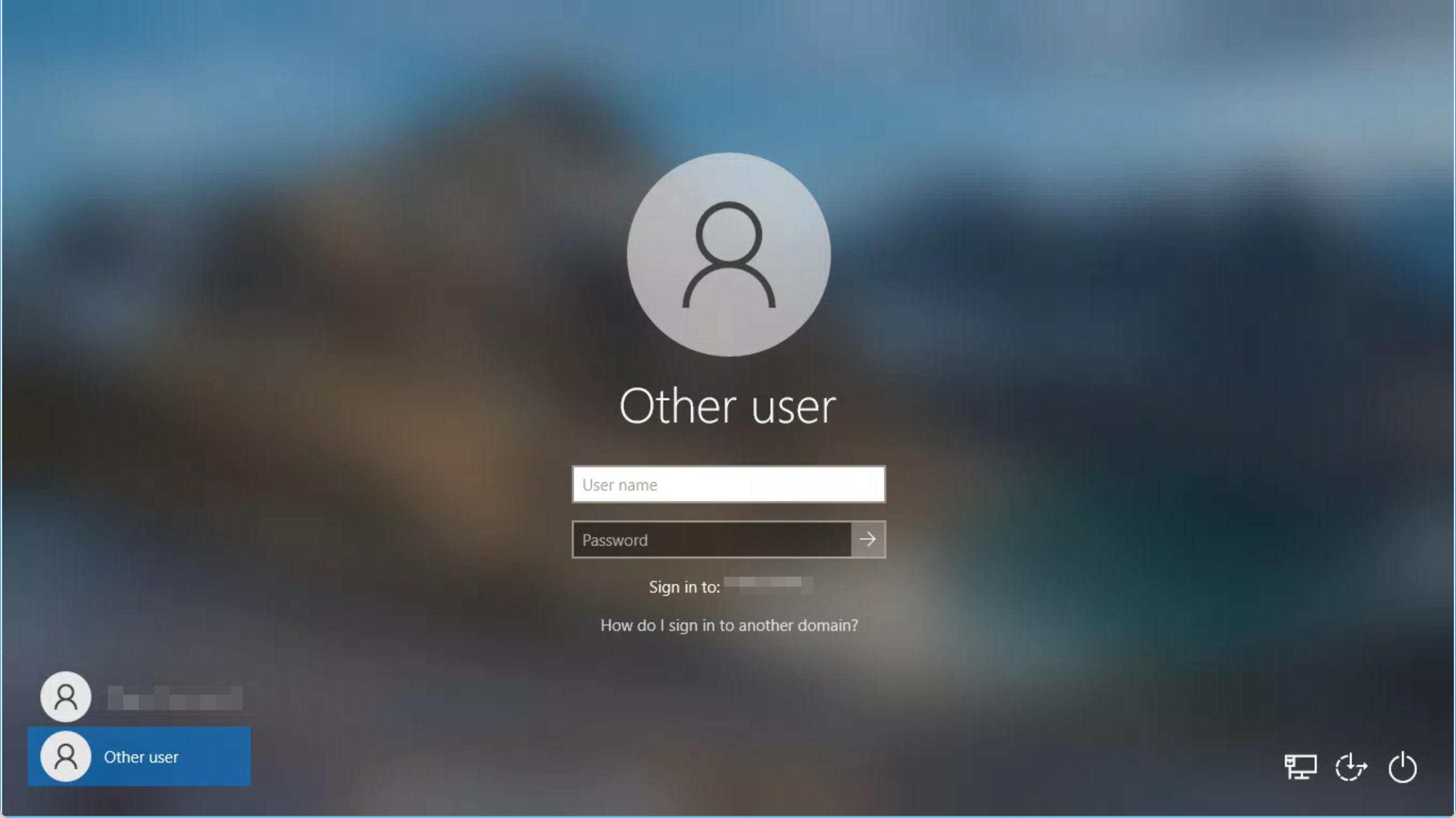
Enter your username and password
Was this article helpful?
0 out of 0 found this helpful
Have more questions?
Submit a request

Comments
0 comments
Article is closed for comments.